FolioPage is out of beta, with 77 templates and 630 sections


Sixteen days after the public beta opened, FolioPage is officially launched. Nothing changes for the sites built during the beta: same address, same plan, same editor. What changes is the size of the box you build from, so here it is by the numbers.
77 templates in 11 categories
Every template is a complete site, and the gallery now holds 77 of them: 58 one-page sites and 19 multi-page ones. By category:
| Category | Templates |
|---|---|
| Personal | 11 |
| Photography | 10 |
| Fashion | 9 |
| Design | 8 |
| Agency | 8 |
| Architecture | 8 |
| Illustration | 7 |
| Resume / CV | 6 |
| Art | 4 |
| Model | 4 |
| Developer | 2 |
Each category has its own page in the gallery, and each template can be previewed live on desktop and mobile before you commit to it.
Three of the 77


630 sections, and the chrome around them
Templates are starting points; sections are what you build with. The library holds 630 of them across 112 kinds, from heroes, galleries and about sections to services, pricing tables, FAQs and contact forms. Around the page sit 22 header designs, 15 footers, 13 top navigations, 9 mobile navigations and 6 side navigations, plus 7 page-heading and 6 section-heading styles. Every section can carry a scroll animation, and the icon picker draws on seven icon sets with more than 10,000 icons.
Four apps
- Portfolio: project pages with categories, 30 index layouts and 24 project-page layouts.
- Links: a links page in three layouts.
- Resume: a resume page and a matching PDF generated from the same content, in seven layouts.
- Blog: categories, a paginated index, featured posts and a rich-text editor, on the Max plan.
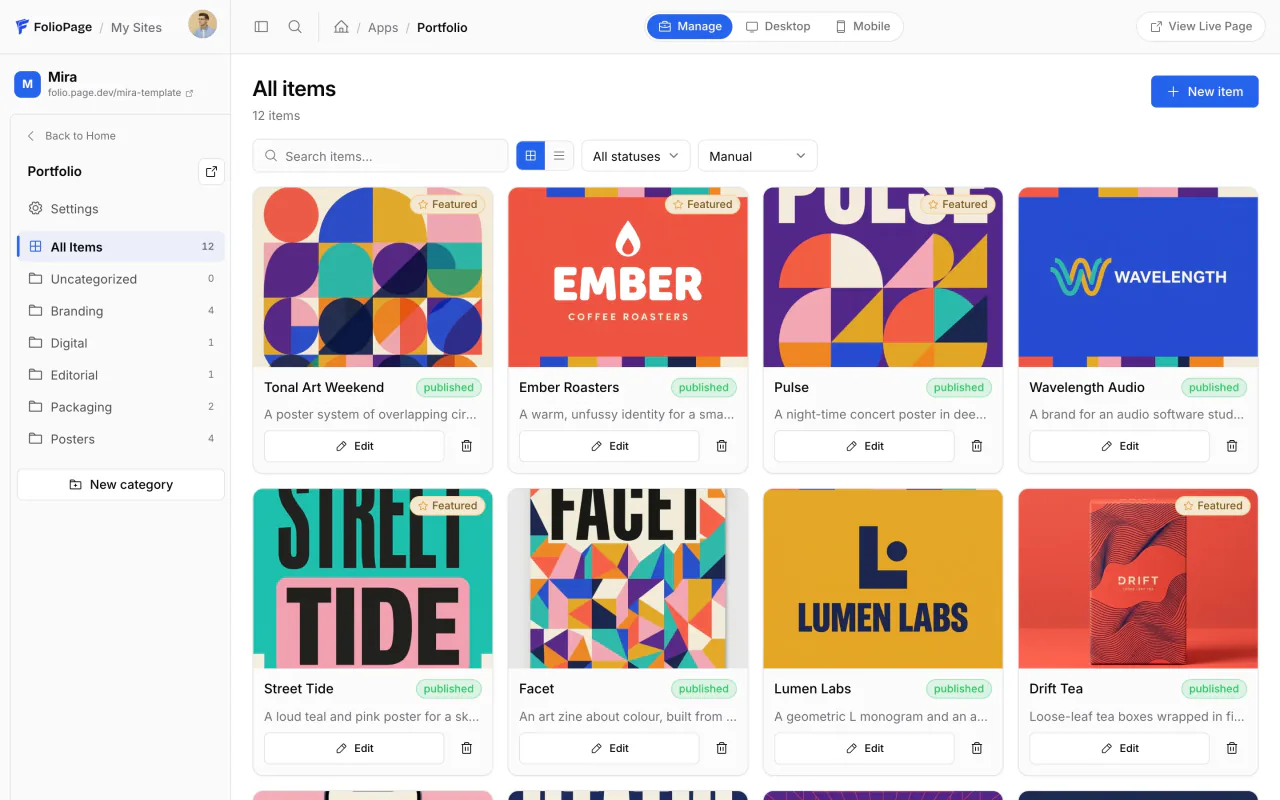
The design editor
Fonts, colors and color presets, the logo and favicon, global styling, the header, the menus, the footer, page and section headings, a back-to-top button and a preloader are all set in one place and apply to the whole site. Change a font and every page follows.
Publishing and plans
- Free: a folio.page address, the page and design editors, Portfolio with up to 10 projects, Links with up to 5 links, Resume with one layout. No card, no time limit.
- Pro, $12 a month or $108 a year: a domain you own, no FolioPage branding, custom code, contact forms with 1,000 submissions a month, images up to 4,000 pixels, Portfolio with up to 100 projects, unlimited links and resume layouts.
- Max, $24 a month or $216 a year: everything in Pro, the Blog app, 5,000 form submissions a month, images up to 8,000 pixels, unlimited projects.
The full comparison is on the pricing page. Sign-up works with an email address or a Google account.
A help center, and this magazine
The help center opens with 54 articles in 10 categories, from your first page to connecting a domain, and it is public, so you can read it before signing up. The magazine you are reading launches alongside it, with guides like how to build a portfolio website in a day and product news in the News section.
If you built a site during the beta
There is nothing to do. Your site, plan, media and settings are exactly as you left them, and every template, section and layout above is already available in your editor.
Start with a template.
Pick one of the 77, replace the sample work with yours and publish on a free address today.
Browse the templates