Interior design portfolio: what to show and how to put it online


On this page
An interior design portfolio has to prove two things in a few minutes: that you can imagine a room, and that you know how it gets built. This guide covers what goes into one, how many projects to choose and in what order, and what every project needs from the brief to the finished photographs, whether you print it, export a PDF or publish it. It then makes the case for keeping the full version as a website you send as one link, with a PDF beside it for the applications that ask for a file.
What reviewers look for in an interior design portfolio
Reviewers take a good final image for granted and decide on the thinking behind it. In May 2026 the trade magazine I+S Design reported what three jurors want to see in the student portfolio review of the American Society of Interior Designers. Three of their points apply to any portfolio, student or professional:
- Be fast to read. "Your portfolio must grab their attention in less than two minutes. Be concise, show what is most important, and arrange it in a way that is intuitive," said Margi Kaminski, health interiors co-leader at CannonDesign.
- Show how it gets built. Shundra Harris, founder and principal of Shundra Harris Interiors, named the usual gap: "Beautiful renders with no plans, no details, and no understanding of how it gets built."
- Show the materials. Kaminski again: "There is not always enough emphasis on materiality and color strategy."
That is how an employer reads. If your reader is a client, lead with finished rooms of the kind you want to be hired for and keep the drawings one step deeper, where a curious client and every future employer can still find them.
How many projects to include, and in what order
Four to six projects is enough for an application or an interview. The career office of Syracuse University's School of Architecture, advising students in a neighboring field, sets the limit for an interview portfolio at "5 academic projects max".
A website for clients can hold more, because visitors filter to the kind of space they need and skip the rest. Eight to twelve finished projects sorted by type is plenty, the same range as in the magazine's guide on how to build a portfolio website in a day.
Then set the order:
- Strongest project first. The Syracuse page advises against chronological order and says most employers want to see your favorite project first.
- Second strongest last. The same page puts your best image on the first page and the second best on the last.
- One project in full. Take at least one project from the first sketch to the final drawings. The others can be shorter.
- Range in between. Different kinds of space and scale: a house, a restaurant, an office floor. A student with only studio work can vary the brief.
What each project needs
Give every project the same parts in the same order. A reviewer who learns the pattern on the first project reads the rest faster.
- The brief. Who it was for, the space and its size, and the constraint that shaped the job. For student work, name the studio assignment. Two or three sentences.
- The concept. The idea in one sentence, next to the sketch, diagram or mood board that carried it.
- The drawings. A furnished floor plan at minimum. Add an elevation, a section or a detail where the design depends on one, exported large enough that the labels stay legible.
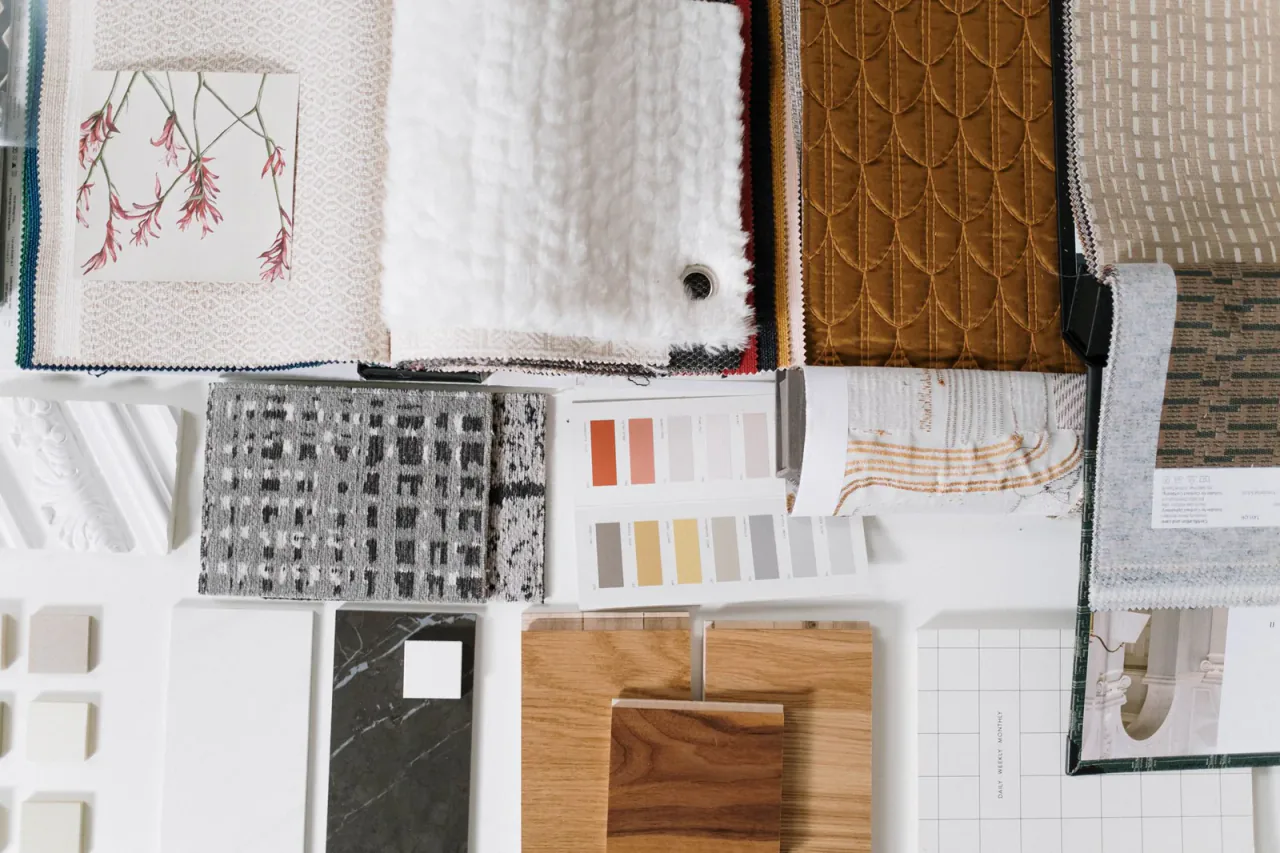
- The material board. A photograph of the physical board, or the finishes laid out as a schedule: floors, walls, fabrics, metals, lighting.
- Renders. For unbuilt and student work, two or three views that match the plan, labeled as renders.
- Finished photography. For built work, a wide shot of each main room and then the details. A renovation gains from a before and an after taken from the same spot.
- Your role. What you did yourself: concept, drawings, specification, site visits. Credit collaborators, and credit a firm for work done there.
A student project skips part six. On a team project it still needs part seven. A built project can drop the renders once the photographs exist, but keep the plan and the board, because they show how the room was made.
Keep the text short. Three or four sentences per project cover the brief, the main decision and the result, and a caption under each image says what the viewer is looking at.
The pages around the projects
Four short pages frame the projects, in print and on screen alike:
- An opening page with your name, what you design and where you are based.
- A project list, so a reader can jump to the project closest to their own.
- An about page of three or four sentences: your training, the kind of space you want to work on, how you work with clients.
- A resume and a way to reach you: education, experience, software, certifications and an email address.
Print, PDF or website: which format to use when
The three formats do different jobs, and most designers keep two of them.
| Format | Use it for | Its limit |
|---|---|---|
| Printed book | An interview or a review across a table, with real samples beside it | One copy in one place, and out of date after your next project |
| Applications and admissions that ask for a file, and a selection tailored to one employer | A file-size cap means fewer and smaller images, and every change means a new export | |
| Website | The link on your resume, email signature and social profiles, and the full photo set of every project | It takes an afternoon to build, and an application that asks for a PDF still needs the PDF |
Whoever asks for the portfolio decides the format. The career office of the University of Oregon's College of Design tells students to "check for and follow any instructions in the application such as maximum file size or number of images". Send the PDF they asked for, cut to their limit, and print the website's address on its first and last page for anyone who wants the rest.
What the website version adds
A PDF holds a selection cut to fit a file size. A website holds every project, and its structure lets each visitor see only the part they came for:
- A page per project. Each project has its own address, so a restaurant owner gets the link to your restaurant and nothing else.
- The full photo set. Twenty photographs of one house overload a PDF. On a project page they sit in a gallery and open full screen.
- Filtering by type. Residential, hospitality, workplace: the visitor picks one on the index.
- One link that stays current. Add a finished project and everyone who has the link sees it, with no old version left in circulation.
- A way to answer. A contact form sits on the same site as the work.
On FolioPage this is the Portfolio app. It gives the site one page that lists your published projects with a filter button per category, and a page for each project with its images, a description and custom fields for facts such as location, year, area and your role. Images on a project page open in a lightbox from the original file, at full quality.
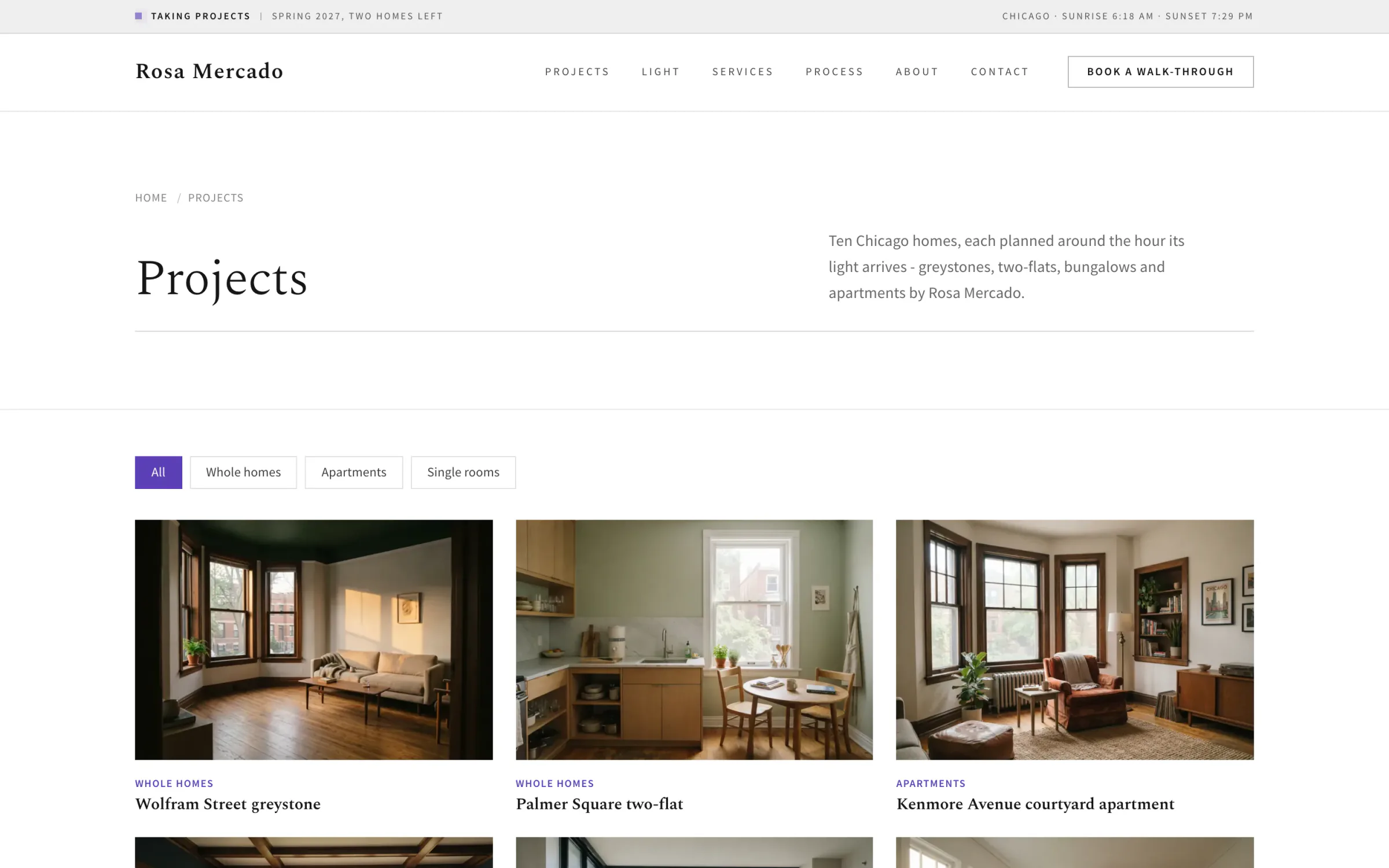
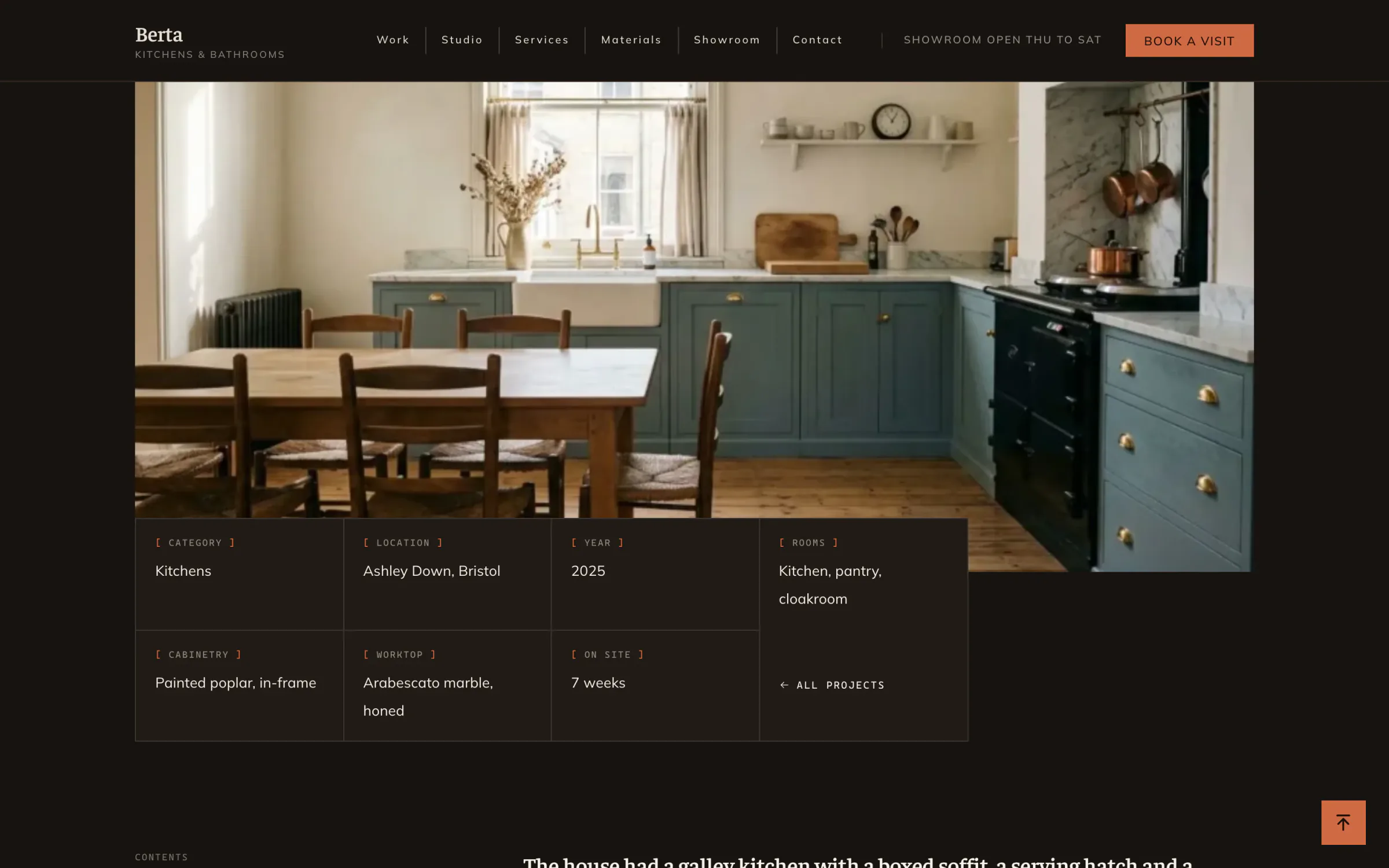
Both captures are live demo sites of FolioPage templates: Dina, made for residential designers, and Berta, made for kitchen and bathroom studios.
Build the website version
FolioPage's templates for interiors are in the Architecture category, which architects and interior designers share. Five of them were designed around an interiors practice: Dina for residential work, Flavia for workplaces, Odile for hotels and restaurants, Berta for kitchens and bathrooms, and Elke for stylists and home stagers. Each one comes with the Portfolio app switched on and sample projects to replace with yours.
Templates built for interior designers


With the photographs and drawings exported, the build goes in this order:
Pick a template by structure
One page or several, light or dark, grid or list. Preview it on desktop and on a phone, and judge the structure, since the sample rooms get replaced.
Add one portfolio item per project
Open Portfolio in the sidebar and click New item. Enter the Title, click Add images and pick the photographs, the drawings and the board. Drag them into the order of the story. Click the star on the image that should represent the project. That image is the one shown on the index.
Enter the facts as custom fields
Under Custom Fields, click Add field for each fact: location, year, area, status, your role. Use the same fields in the same order on every project.
Name three to five categories
Click New category and name each one the way a client would: residential, hospitality, workplace. Every category becomes a filter button on the index.
Fill in the resume once
The Resume app publishes a resume page and generates a PDF from the same content, so the file you attach to an application matches the page. If Resume is not in the sidebar, open All Apps and click Enable next to Resume.
Add a contact section and publish
Add a section from the Contact category to a page. Messages are emailed to you, up to 100 a month in the trial and on Starter. Then publish, and the site is live at a yourname.folio.page address.
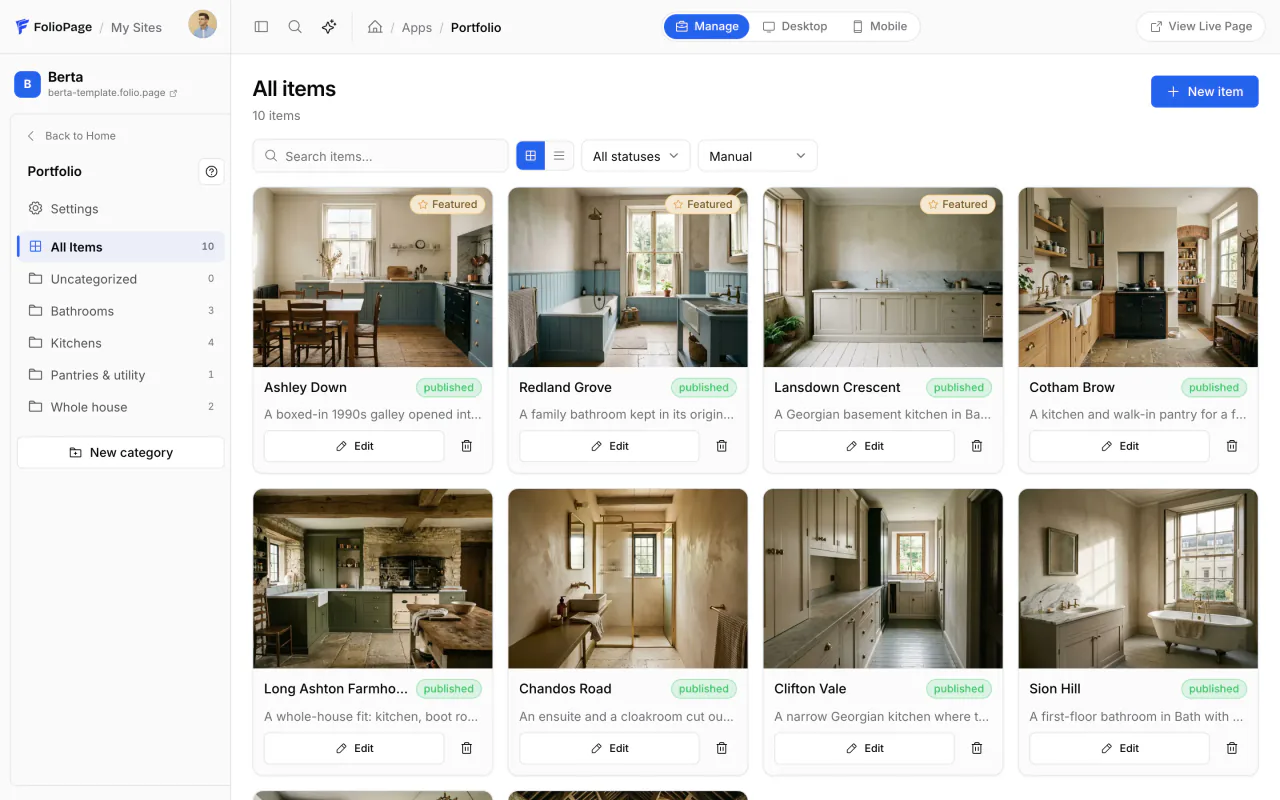
The trial and the Starter plan hold 25 projects in 6 categories and 200 files. Images can be JPEG, PNG, WebP, GIF or SVG, up to 3,000 pixels on the long edge and 10 MB each. Pro raises that to 100 projects, 1,000 files and 4,000 pixels, and adds a domain you own and a password for any page you build in the editor. A Portfolio project page cannot be locked, so a project a client wants kept private goes on a page of its own. Max removes the project limit and accepts PDF files in the media library.
During the 14-day trial the site is open to anyone who has the link and hidden from search engines. Choosing a plan lifts that and keeps the site online: Starter is $6 a month, Pro $12 and Max $24.
The magazine's longer guide for this field, an architecture portfolio website that shows the building and the idea, goes further into project pages for drawings and the pages a studio needs. Other how-tos are in Guides.
Common mistakes
- Renders with nothing behind them. Add the plan and the board to every project, including the ones that photograph well.
- Everything you ever designed. Cut to the projects you would be glad to repeat.
- Team work with no role stated. Say what you did, and credit the others.
- Drawings too small to read. If the room labels are illegible at the size shown, crop to the part that matters or give the plan an image of its own.
- A layout louder than the work. Marianne Starke, design director and senior associate at Gensler, told I+S Design: "Thoughtful structure and white space signal confidence."
- An old PDF still going around. Put the website address in every PDF, so a file forwarded a year ago still leads to current work.
How many projects should an interior design portfolio have?
Four to six for an application or an interview. A website for clients can hold eight to twelve, sorted by type of space.
What goes in a portfolio when nothing you designed has been built?
Studio projects shown in full: brief, concept, plan, material board and renders, with your role stated on team projects. Add one project you set yourself for a real room you can measure and photograph, so the portfolio holds at least one existing space.
Should an interior design portfolio be a PDF or a website?
Both, for different jobs. Send a PDF when an application asks for a file, within its limits. Keep the website as the full, current version, and put its address in the PDF, on your resume and in your email signature.
Can I show projects I worked on at a firm?
With the firm's permission, credited to the firm, and with your own part stated. On FolioPage, Pro and Max can put a password on a page built in the editor, so work for one employer or client can sit on a locked page outside the public project list.
Put every project behind one link.
Pick an interiors template, give each project a page and publish on a folio.page address. Free to try for 14 days, no credit card.
Start free