Makeup artist portfolio: how to build one that gets you booked

On this page
A makeup artist portfolio is a short set of your strongest looks, about 10 to 15 photos to start, chosen for the clients you want and shown with credits, your services and a way to book. This guide covers which looks to include, how to build the set with no clients yet, how to credit and clear each photo, and how to put it on a website that brings in inquiries.
Choose the looks for the client you want
Each kind of client reads a portfolio for something different, so decide who you want to be booked by before you choose a single picture.
| If you want to be booked by | Lead with | What they look for |
|---|---|---|
| Brides and private clients | Bridal and soft glam on a range of ages and skin tones | Makeup that still looks like the person, in daylight |
| Photographers and magazines | Editorial looks and beauty close-ups | A point of view, and skin that holds up at full size |
| Brands and advertisers | Clean beauty images | Consistency from one picture to the next |
| Film, theater and stage | Character, aging and special effects work | Range, and work that reads at its working distance |
If you do both bridal and editorial, decide which you want more of and put it first. The other gets its own category.
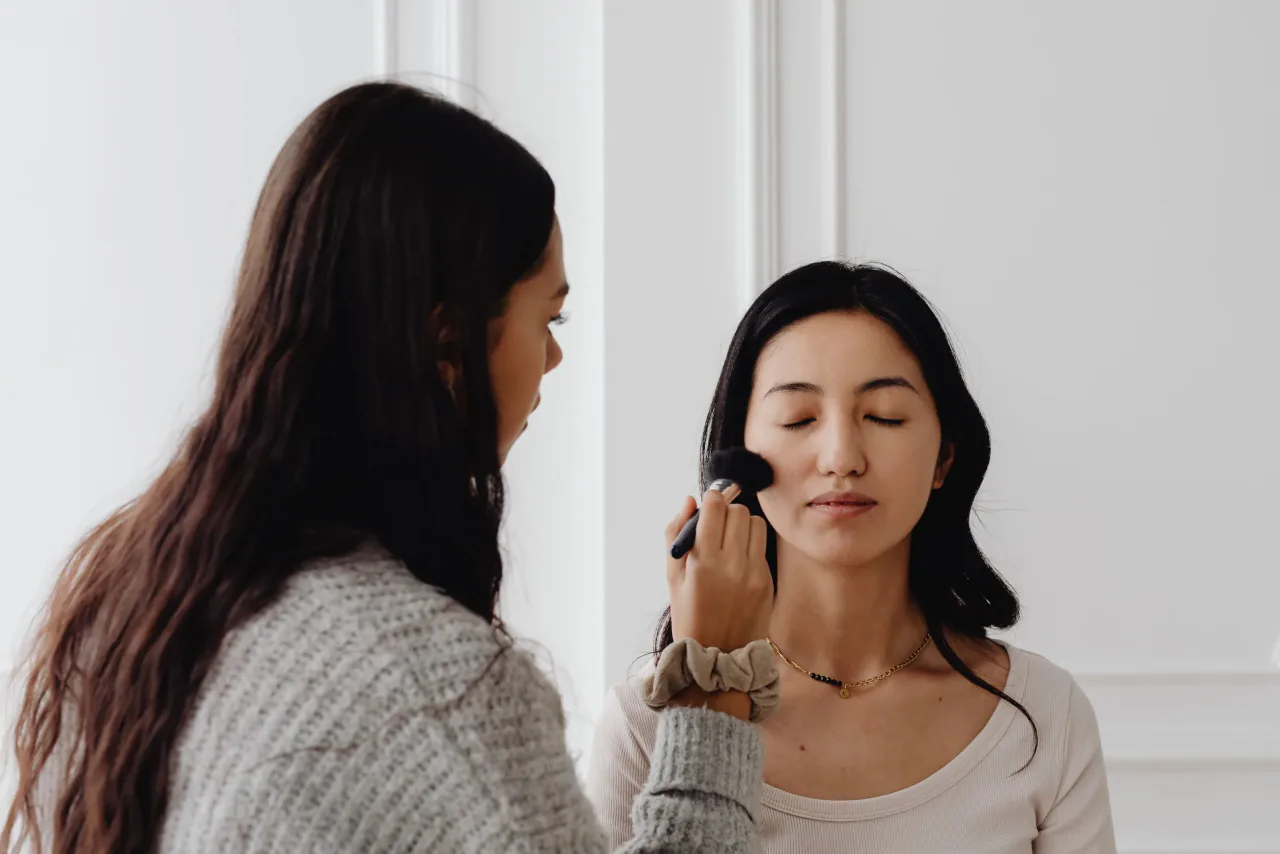
For a first set, Passion Beauty Academy's portfolio guide suggests five looks: a natural everyday look, a soft glam or evening look, a bridal look, a bold editorial look, and a close-up that shows skin finish and eye detail. It also advises a range of skin tones, ages, face shapes and hair textures. A client who does not see a face like theirs has to guess whether you can do their makeup.
How many photos should a makeup artist portfolio have?
Start with 10 to 15 strong photos, the target in the Passion Beauty Academy guide. The quality of each one counts for more than the total: the Manchester school KLMA Academy says five strong images do more for you than thirty that are mostly filler, and its author kept a working book to around 25 to 30.
A website can hold more than a printed book because visitors filter to the work they came for. Keep your best images first and let each category hold the rest. Go through it after every shoot with KLMA's rule: add a new picture only if it beats what is already there, and take out the weakest when you do.
How to build a portfolio with no clients
The Passion Beauty Academy guide starts with friends, family and classmates as models, in window light, on a smartphone. What matters for bookings is what each shoot adds to the set.
- Start with the faces you want to be hired for. If you want brides, ask someone close to the age and style of your future clients, and do the look you would do on a wedding morning.
- Make before and after pairs for private clients. A bride wants proof that the makeup still looks like the person, so match the angle and the light in both pictures.
- Keep the editing honest. Correct the exposure and leave the skin and color as you applied them, because a client is booking the result in the picture.
- Work with local photographers. Makeup artist Kevan, in a guide to overhauling a bridal portfolio, found photographers through local Instagram hashtags, built a real connection first and volunteered for styled shoots.
- Plan each shoot around a gap. Before you book a session, name the category it fills, so you do not end up with six versions of the same soft glam.
Picture quality counts as much as the makeup once you go after editorial or brand work. KLMA's guide puts the model, the photography, the hair, the styling and the lighting on the same level as the makeup itself, so work with the strongest photographers and models you can reach.
Credit every look and get permission first
A photo of your makeup is usually someone else's photograph. In the United States, the Copyright Office's guide to copyright basics says the copyright in a work initially belongs to the author who created it, with an exception for works made for hire, and that owning a copy does not give you the copyright. For a portfolio picture, that is usually the photographer.
Before a picture goes online:
- Ask the photographer in writing whether you may use it on your website and social profiles, and how they want to be credited.
- Ask the person in the picture. The Passion Beauty Academy guide says to get written permission from anyone photographed before you share the image. A bride who paid for her wedding makeup has not agreed to appear in your marketing.
- Check the release date. A campaign or magazine story may be under embargo until it runs, so ask the client or the editor when you can show it.
- Credit the whole team. Name the photographer, the model, hair, styling, and the publication or client, on every look, the way a fashion and beauty site credits a story.
What a makeup artist site needs to get booked
A bride deciding whether to inquire wants to know whether you do her kind of look, what it costs and whether you are free on her date. The site should answer the first two and make the third a short message.
- Your work, sorted the way clients look for it. Bridal, editorial, beauty, film. A bride should reach the bridal looks in two clicks from the menu.
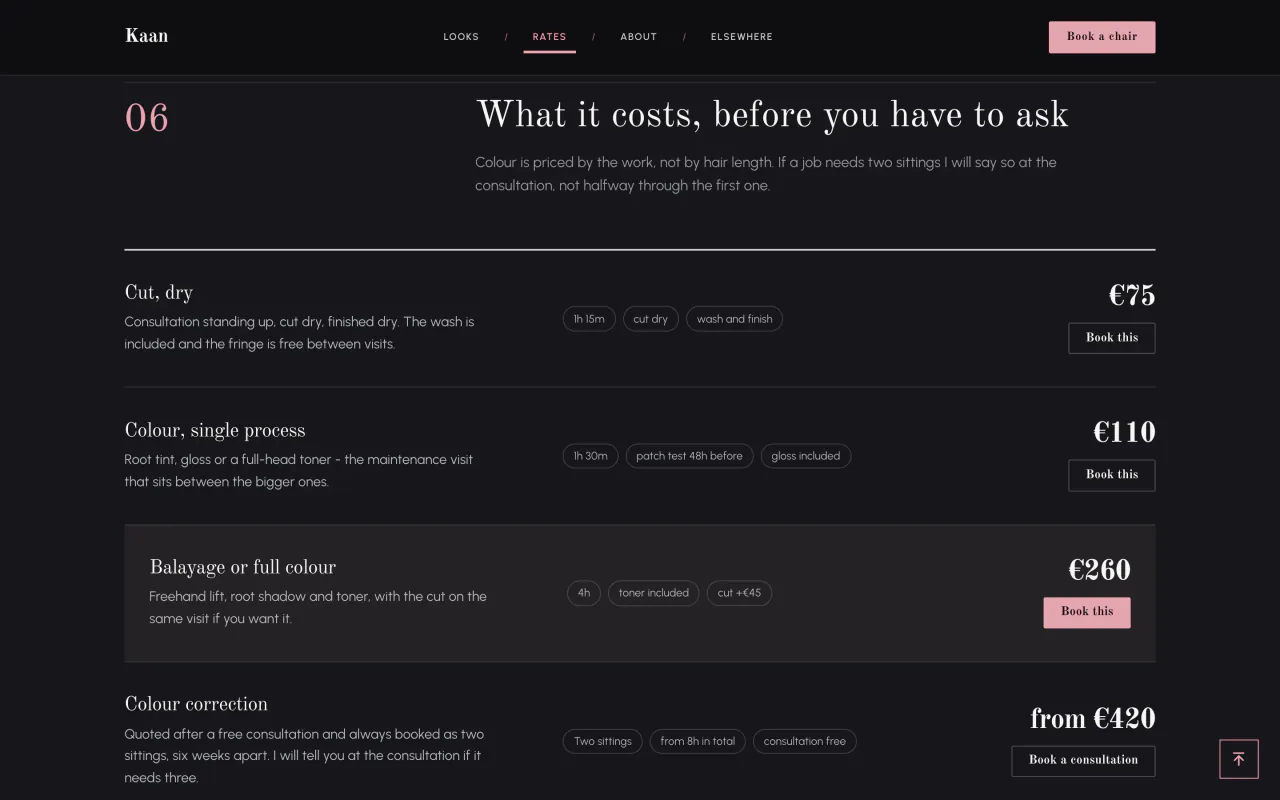
- Services and rates. List what can be booked, such as a bridal trial, a wedding-day application or a lesson, with a price or a starting price.
- A short about section. Your training, where you work, and whether you travel.
- A way to book. Tell people what to put in their message: the date, the location, how many people need makeup and the time they need to be ready.
- A links page. One address for your Instagram bio, with the site, the booking form and your social profiles on it. Put the site's address in your PDF and email signature too.
- A resume of credits. For agency and production work, it keeps your training and past jobs in one place.
Print, PDF, Instagram or website
| Format | Use it for | Its limit |
|---|---|---|
| Printed book | Sitting down with an agency, or a bride at her trial | One copy in one place, and it needs updating by hand |
| A selection cut for one job, attached to an email | Every change means a new export | |
| Being discovered and showing recent work | Hard to sort by kind of work, and rates and booking have no fixed place beside the pictures | |
| Website | The one link you give everyone, with work, rates and a form together | It takes some time to set up |
Build the website version on FolioPage
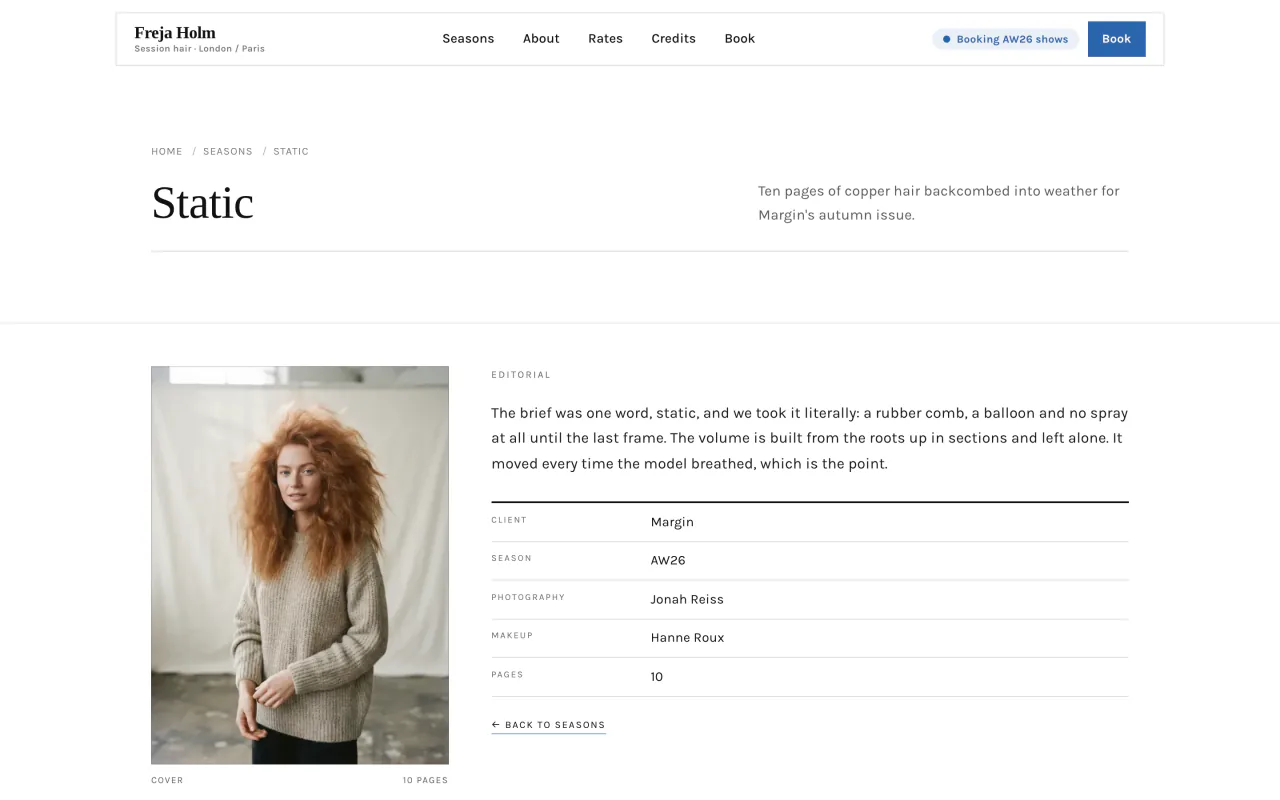
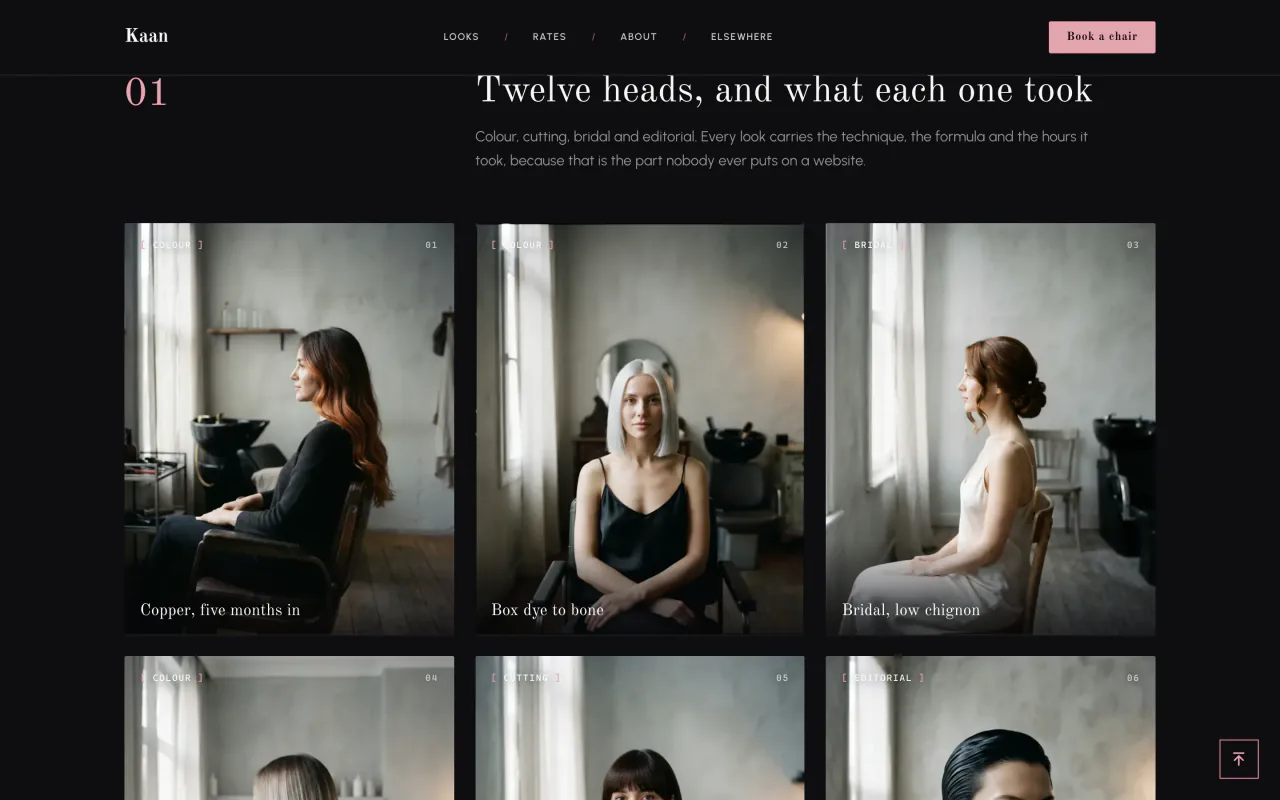
FolioPage's Fashion templates include two built for this kind of work. Kaan is a one-page site for people booked by the photograph and paid by the hour, makeup artists among them, with looks, rates and booking in one place. Season suits makeup artists whose work runs in print, with credits on every story. Both demos are written for a hair stylist, so the sample photos and words are the first thing you replace.
Two templates to start from


With your photos chosen and cleared, the build goes in this order:
Pick a template by structure
Open it on a phone as well as a desktop, and check that the looks grid and the rate rows read well at that size.
Take the site offline while you work
Confirming your email publishes your first site, samples included. If yours is live, switch off Publish site in Settings and click Save changes, and leave it off until the samples are gone.
Clear out the sample looks
A template arrives with sample looks and categories, and they stay on your site until you remove them. Open Portfolio in the sidebar and use Delete on each sample. Hover a category in the sidebar and choose Rename category to turn the samples into your own, such as bridal, editorial and beauty.
Add one portfolio item per look
Click New item, enter a Title, click Add images and pick the photos. Drag them into order and click the star on the one that should represent the look.
Enter the credits as custom fields
Under Custom Fields, click Add field for each credit: photographer, model, hair, publication. Put names in these fields. A value that is a web address displays as the address, so give a link its own field, such as "Photographer site", with the full https:// address. Then choose the look's Category, switch on Published and click Save and publish. A look left as a draft does not appear on the site.
Replace the page sections
Click a headline to retype it. Opening photos, galleries and repeated rows, including services and rates, are under Section options, on the Content tab. Remove any section you cannot fill with something true, such as the sample testimonials and press. In Design, open Header and Footer and replace the sample text, address, phone, email and button.
Set up the booking form
Kaan's form asks for a name, an email and a message. Click its labels and details to retype them, and use the text above it to say what the message should include. In its Section options, change Email address and Success message. Check the Button link on every rate row too, since some point to a sample address. In Settings, enter the address that should receive messages under Form submission email and click Save changes.
Replace the sample words behind the pages
Four more places keep the demo's text: SEO title and SEO description in the home page's Page options, heading fields and Intro content in Portfolio Settings, heading fields and Intro text in Links Settings, and Social Profiles. Click Save changes on the last three.
Add your links and resume, then publish
On Kaan, open Links and replace the sample links. If Links or Resume is not in the sidebar, open All Apps and click Enable. Switch Publish site on in Settings, click Save changes, and the site is live at a yourname.folio.page address. After later edits, click Update live site so every visitor gets the new version.
Season works the same way, with four differences. Replace its opening wall of pictures under Section options, on the Content tab, and rewrite each tile's alt text, which prints under the picture. Its home page prints the Client and Season fields under each story, so add those two to every look. Its form also asks for dates and a kind of job, so add bridal under Kinds of job in the form's Section options. Change Direct link there as well, because it still points to a sample address.
If this is your first website, the magazine's guide on how to build a portfolio website in a day has the full schedule, and the other portfolio guides cover neighboring fields.
The trial and the Starter plan hold 25 looks in 6 categories, 200 files and 100 form messages a month. Pro raises that to 100 looks and 1,000 messages and adds a domain you own, and Max removes the limit on looks.
During the 14-day trial the site is open to anyone with the link and hidden from search engines, so clients can see it but cannot find it through a search yet. Choosing a plan lifts that and keeps the site online: Starter is $6 a month, Pro $12 and Max $24.
Can I build a makeup portfolio without clients?
Yes. Start with friends, family and classmates, photograph them in window light, and then offer your work to local photographers for styled shoots. Get written permission from everyone in the pictures.
Do I need a professional photographer for my makeup portfolio?
You can start without one, using window light and a phone for a first set. Editorial and brand clients judge the photograph along with the makeup, so work with a photographer before you approach them.
Should a makeup artist portfolio include before and after photos?
For bridal and private clients, yes, with the person's permission. Match the angle and the light in both pictures, so the difference a client sees comes from the makeup.
Is Instagram enough for a makeup artist portfolio?
It is useful for being found, but it is hard to sort by kind of work, and rates and booking have no fixed place beside the pictures. Keep a website as the full version and put its address in your bio.
Put your best looks behind one link.
Pick a template, add your looks with their credits and publish on a folio.page address. Free to try for 14 days, no credit card.
Start free